Fystack Maximum Security Architecture: MPC Signing with Passkey Authentication

For businesses handling withdrawals, payments, or operating wallets at scale, OTP and passwords are becoming the weakest link in the security chain.
These mechanisms rely on shared secrets and external delivery channels (SMS, email, or authenticator codes), making them vulnerable to phishing, interception, and social engineering. The higher the transaction value and frequency, the more expensive a single compromised credential becomes.
Fystack addresses this at the authentication layer itself, replacing shared secrets with cryptographic device-bound signatures.
Why Passkey Eliminates the Risks OTP Cannot Solve
Fystack supports Passkey as the primary authentication method, built on public-key cryptography.

Here is how it works:
- A private key is generated and stored on the user's device: it is never transmitted to the server
- When an action is required (login or transaction approval), the system generates a unique challenge
- The user authenticates via Face ID, fingerprint, or PIN
- The device signs the challenge using the private key
- The server verifies the signature using the corresponding public key
Because each passkey is cryptographically bound to both the domain (app.fystack.io) and the registered device, an attacker cannot replay, steal, or reuse credentials the way they can with OTP codes.
How to Set Up Passkey on Fystack
Setting up Passkey takes less than two minutes. Go to Account Avatar → Security in the top-right corner of the dashboard, then click + Add Passkey. Your browser will guide you through naming the device, choosing a storage location, and verifying with biometrics or PIN.

You can register one passkey per device, which is useful if your team authenticates from both laptops and phones.
Full step-by-step instructions: Setting Up Passkey Authentication
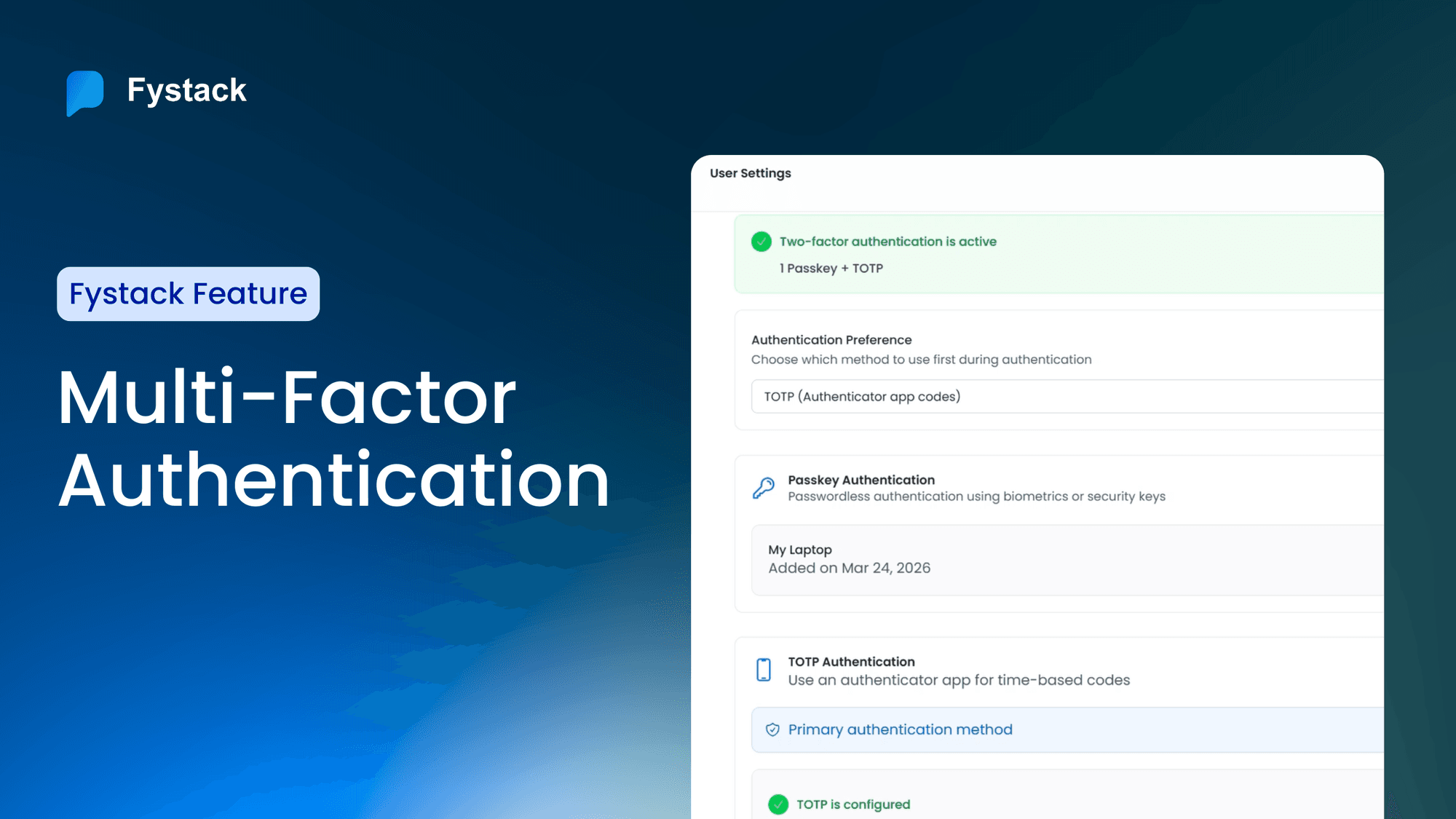
The 2FA Model on Fystack: Passkey + TOTP
Fystack supports two independent two-factor authentication methods that can be used separately or combined:
| Method | Role | Phishing-resistant |
|---|---|---|
| Passkey (primary) | Login and transaction approval | Yes |
| TOTP (optional) | Supplementary layer or fallback | No |
The two methods work independently but complement each other:
- Use Passkey as the primary method for day-to-day authentication
- Enable TOTP as a redundancy layer, useful if a device is unavailable
- Certain high-risk actions (such as changing security configuration) always require passkey re-authentication, regardless of TOTP status
This means OTP is not eliminated, but it is no longer the sole gatekeeper in the approval flow.
How to Set Up TOTP (Optional)
TOTP works with any standard authenticator app (Google Authenticator, Authy, 1Password). On the Security page, click Configure TOTP, scan the QR code with your app, and enter the 6-digit code to confirm. Fystack will require a passkey verification before activating TOTP, as a guardrail against unauthorized changes.

Full step-by-step instructions: Setting Up TOTP Authentication
Best practice: Register Passkey as primary and TOTP as backup. If you lose access to a device, TOTP from a separate phone provides a reliable recovery path.
How Fystack Secures Every Withdrawal Approval
For a team processing hundreds of withdrawals per day, a single phished OTP can compromise the entire queue. Passkey eliminates that surface entirely.
In actions like withdrawals or transaction execution, the flow works as follows:
- If a passkey is configured: the user authenticates on their device (Face ID / fingerprint)
- If additional verification is required: the system can require TOTP on top
- Each request is tied to a unique, independently signed challenge. It cannot be reused or forged
This means every approval event is a distinct cryptographic signature tied to a specific user and device, not a shared code that can be intercepted mid-route.
What Enterprises Actually Gain: Lower Risk, Full Audit Trail, Faster Ops
Moving from OTP to passkey is not just a UX upgrade. It changes the security guarantee at the infrastructure level. Here is what that means in practice.
Stop Losing Sleep Over Phished OTPs
- Eliminates phishing vectors tied to OTP interception
- No shared secret ever travels across the network
- Authentication is physically bound to the user's real device
Stronger Approval Accountability
- Every transaction corresponds to a unique cryptographic signature
- Clear audit trail: who approved, on which device, at what time
- Compatible with compliance and internal control requirements for high-value operations
Operational Efficiency
- Eliminates dependency on SMS and email OTP delivery
- Removes failed-login friction caused by expired or undelivered codes
- Faster, more consistent transaction approval flow at scale
Conclusion
Passkey shifts the security foundation from "something you know" to "something your device proves cryptographically." Combined with TOTP as a fallback, Fystack's 2FA model is designed for teams that treat every approval as a high-value operation.
Ready to configure 2FA for your team? Start with the Fystack documentation
Have questions about your custody setup? Share what you are building and we'll help you find the right architecture.
Not ready yet? Join our Telegram for product updates and architecture discussions: https://t.me/+9AtC0z8sS79iZjFl