Save TRON Gas Fees with Fystack Gas Station: Energy Rental with TronZap

For platforms managing numerous wallets and high transaction volumes, gas management often evolves into a significant operational burden. Constantly checking balances, manual top-ups, and fee estimation across multiple networks can drain resources and lead to failed operations.
Fystack Gas Station automates this entire lifecycle, ensuring your infrastructure always has the fuel required to execute transactions seamlessly.

The Gas Tank: Centralized Gas Management
The core of the Gas Station is the Gas Tank - a dedicated treasury wallet that stores native tokens used for transaction fees across all supported networks. Instead of funding gas individually for every single wallet, teams can centralize their reserves.
Key Capabilities:
- Unified Monitoring: View gas balances across all supported networks (BNB, ETH, POL, SOL, TRX, and more) from a single dashboard.
- Flexible Deposits: Easily deposit native tokens into the Gas Tank to fuel your operations.
- Secure Withdrawals: Withdraw unused gas funds to external addresses whenever necessary.
- Audit-Ready Logs: Review a complete transaction history of all gas deposits and withdrawals for transparent accounting.

This provides a centralized way to manage transaction fee reserves across multiple blockchains.
Funding the Gas Tank
To enable Gas Station to automatically cover transaction fees, your Gas Tank must hold a sufficient balance of native tokens (the base asset of each respective network).
The funding process is straightforward:
- Select Network: Add the native network asset you intend to use for gas fees.
- Generate Address: The system will provide a unique Deposit Address for that specific asset.
- Transfer Funds: Send native tokens (e.g., ETH, BNB, TRX, etc.) from an external wallet or exchange to the generated address.

Once the deposit is confirmed on-chain, the gas balance becomes available for transactions across your wallet infrastructure.
You can find the full step-by-step setup in the Gas Station documentation.
Powering Automated Wallet Operations
Gas Station is deeply integrated with Fystack’s automation engine. For instance, when automated "sweep" tasks consolidate funds from various deposit wallets, the source wallets require gas to trigger the transfer.
Gas Station ensures these wallets are pre-funded, preventing automation workflows from failing due to "Out of Gas" errors and maintaining 24/7 operational uptime.
Programmatic Integration & Estimation
Through Fystack’s developer tools (APIs and SDKs for wallet creation and automation), Gas Station ensures your operations stay fueled programmatically. While gas estimation and pricing are typically handled via on-chain RPCs or network-specific tools, the centralized Gas Tank provides the backing fuel - making high-volume, automated transactions far more reliable and failure-resistant.
Fee Saving on TRON with Energy Renting
TRON transaction fees can become unexpectedly high due to its Energy-based resource model.
When a wallet does not have sufficient Energy, TRC-20 transactions fall back to burning TRX to pay for computation. For platforms processing large volumes of transfers, these costs accumulate quickly.
Real-world example: As shown in the transaction below, a transfer of just 1.2 USDT consumed 13.0285 TRX in fees because the wallet lacked sufficient Energy. For a platform processing 1,000 similar transactions daily, this could result in over $3,000 per month spent purely on gas.
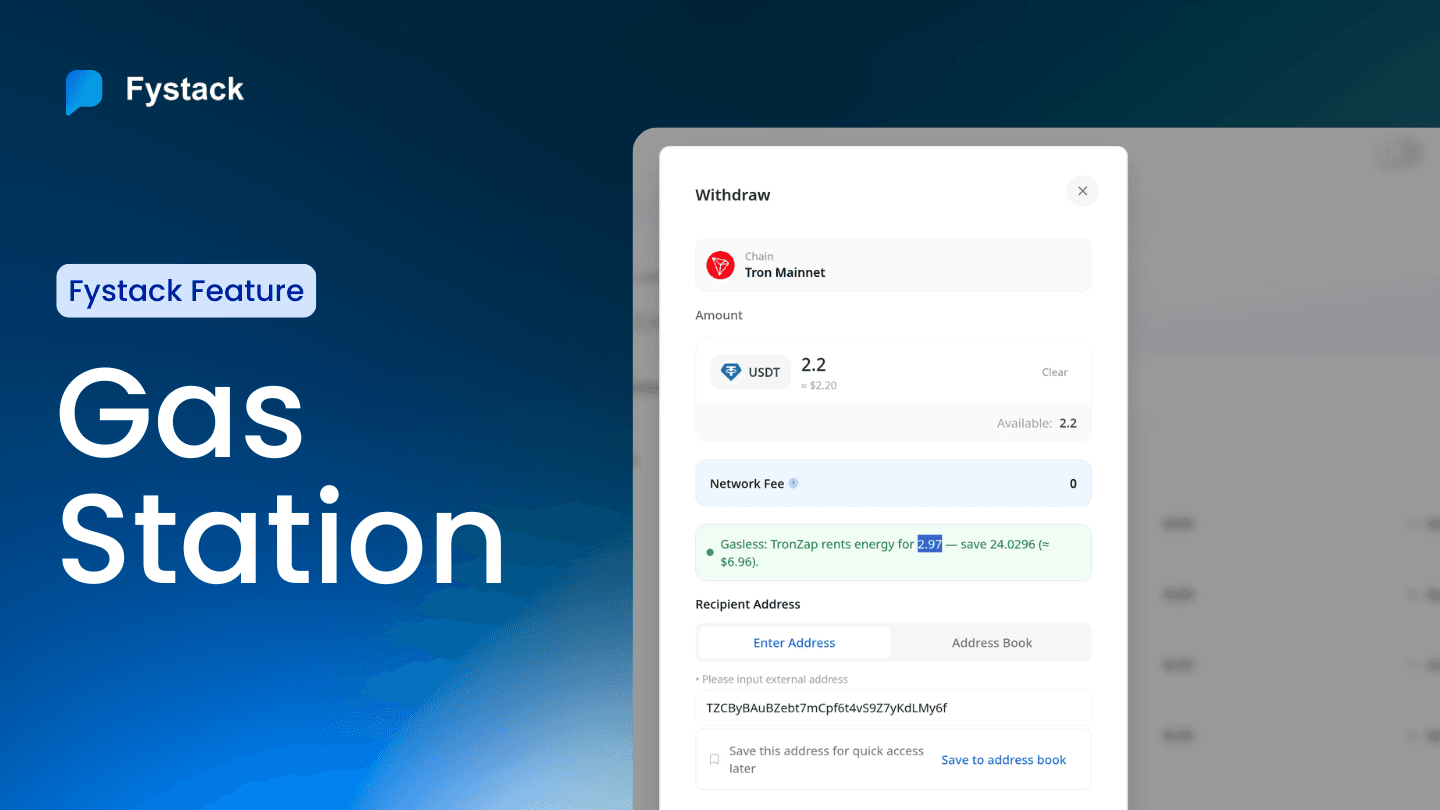
To reduce this overhead, Gas Station integrates with TronZap for automated Energy renting.
For step-by-step instructions on setting up TronZap, retrieving your API credentials, and enabling Fee Saving, see the Gas Station documentation.

Gas Station integrates with TronZap to slash these costs by up to 60% through automated energy renting.

The Optimization Flow:
- Detection: When a TRON withdrawal is initiated, Fystack checks your Fee Saving configuration.
- Renting: The system automatically rents the necessary energy from TronZap in real-time.
- Execution: The transaction executes using the rented energy.
- Result: The withdrawal appears with a Network Fee of 0, and only a small, predictable rental cost (up to 60% cheaper than burning TRX) is deducted.
Monitoring Energy Rentals
Gas Station also provides a Rent History log for auditing energy rentals.

Each record includes:
- the wallet initiating the transaction
- the network used
- energy amount rented
- cost in TRX
- order ID and transaction hash
This allows teams to monitor usage, audit energy costs, and investigate failed rental attempts if they occur.
Conclusion
As transaction volumes scale, manual gas management is no longer viable. Fystack Gas Station transforms gas into a predictable, automated infrastructure layer. By combining centralized reserves, programmatic estimation, and fee optimization, we enable teams to focus on their core product while we ensure the "engine" keeps running.
Have questions about your custody setup? Share what you are building via the form and explore how Fystack’s MPC wallets, KYT integrations, and consolidation engine fit your architecture.
Not ready yet? Join our Telegram for product updates and architecture discussions: https://t.me/+9AtC0z8sS79iZjFl
FAQ
Why do high-volume platforms struggle with gas management?
When a platform operates hundreds or thousands of wallets, gas management quickly becomes an operational challenge. Teams must constantly monitor balances, estimate fees across different networks, and manually top up wallets. Without automation, transactions can fail due to insufficient gas, interrupting withdrawals, sweeps, or other automated workflows.
What is the Gas Tank in Fystack?
The Gas Tank is a centralized treasury wallet used to store native tokens that pay for network transaction fees. Instead of funding each wallet individually, teams can maintain gas reserves in a single place and monitor balances across multiple blockchains from one dashboard.
How do teams fund the Gas Tank?
Funding the Gas Tank is straightforward. Teams select the target network, generate a deposit address for the native token (such as ETH, BNB, or TRX), and transfer funds to that address. Once the transaction confirms on-chain, the gas balance becomes available to support wallet operations.
What happens if a wallet runs out of gas?
If a wallet lacks sufficient gas, blockchain transactions cannot execute. This can cause automated processes—such as sweeping funds from deposit wallets or processing withdrawals—to fail. Gas Station prevents this by ensuring gas reserves are available to support automated wallet operations.
How does Fystack help reduce TRON transaction fees?
On TRON, transactions require Energy to execute smart contracts. If a wallet lacks Energy, the network burns TRX as the transaction fee. Fystack integrates with TronZap to rent Energy automatically, allowing transactions to execute with significantly lower cost. This mechanism can reduce TRON transaction fees by up to 60%.
What is a real example of TRON transaction cost without optimization?
A simple USDT transfer on TRON can consume more than 13 TRX in fees if the wallet does not have sufficient Energy. For platforms processing hundreds or thousands of transfers per day, these costs accumulate quickly. Energy renting helps convert these unpredictable fees into a smaller and more predictable operating cost.
How can teams monitor energy rentals on TRON?
Gas Station provides a Rent History log that records each energy rental event. The log includes the wallet initiating the transaction, the network used, the amount of energy rented, the rental cost in TRX, and the corresponding transaction hash. This makes it easy to audit costs and investigate failed rental attempts.
How do teams configure TRON fee saving with TronZap?
To enable TRON fee optimization, teams must configure a TronZap API key and activate the Fee Saving setting inside Gas Station. Detailed instructions for retrieving API credentials and completing the integration are available in the Gas Station documentation.